Streamline Tasks with Automation
Automation unlocks creativity by removing mundane tasks.
Roster automates crewing for the film industry, replacing outdated spreadsheets and emails that create inefficiency and mistakes. I designed the crewing flow and SMS notification system, automating candidate contact and selection while notifying directors of responses in real time, so productions can focus on creativity instead of admin.
Automated Crewing Up
Producers usually contact candidates for each role manually. Roster automates it: upload your contact list, select candidates per role, and Roster handles the rest. It sends SMS, tracks responses, and stops once a role is filled, no manual follow-up needed. You can customize contact order, timing, and message content, and every message is logged with timestamps.
1. Automation Customization Modal
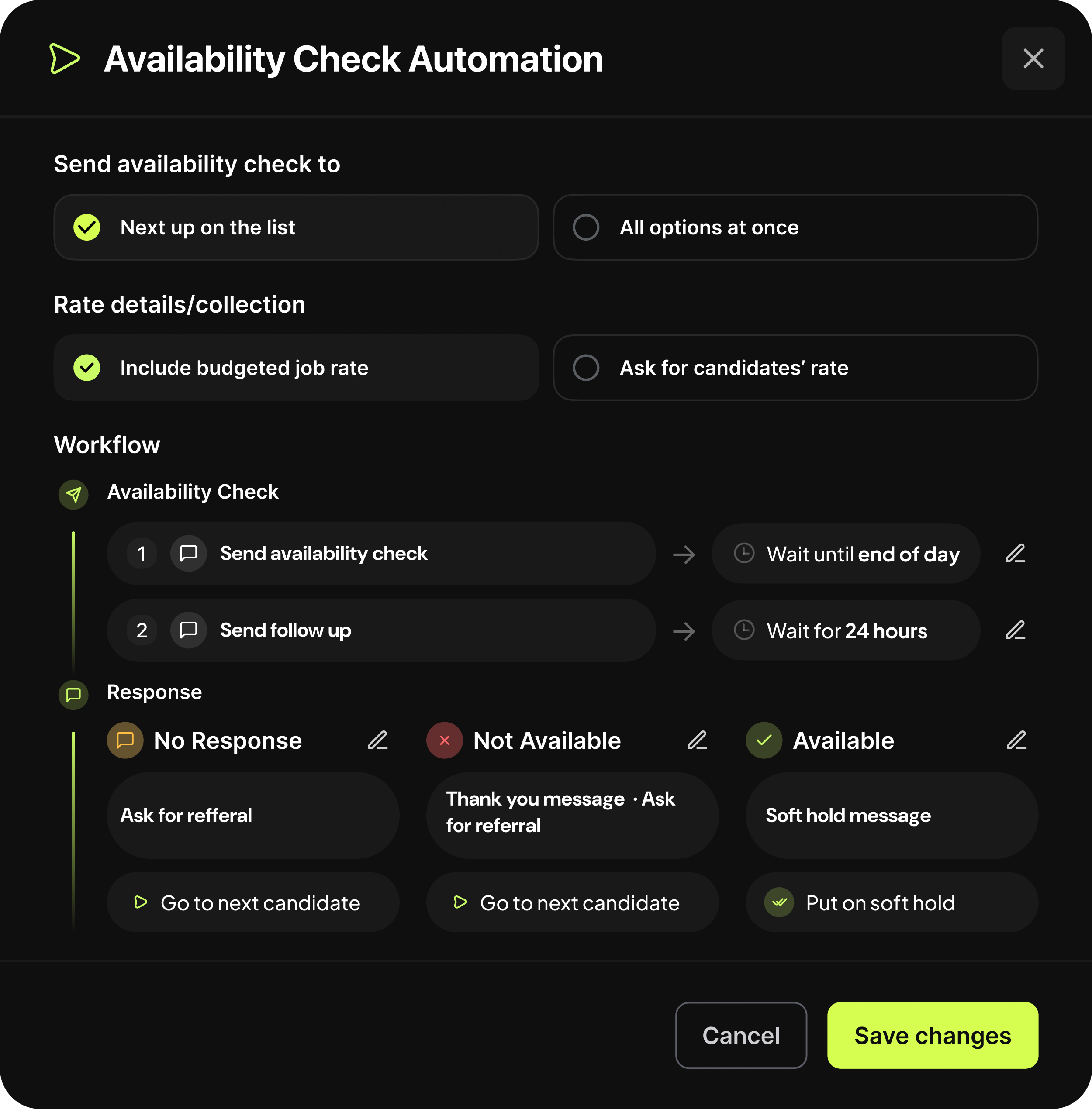
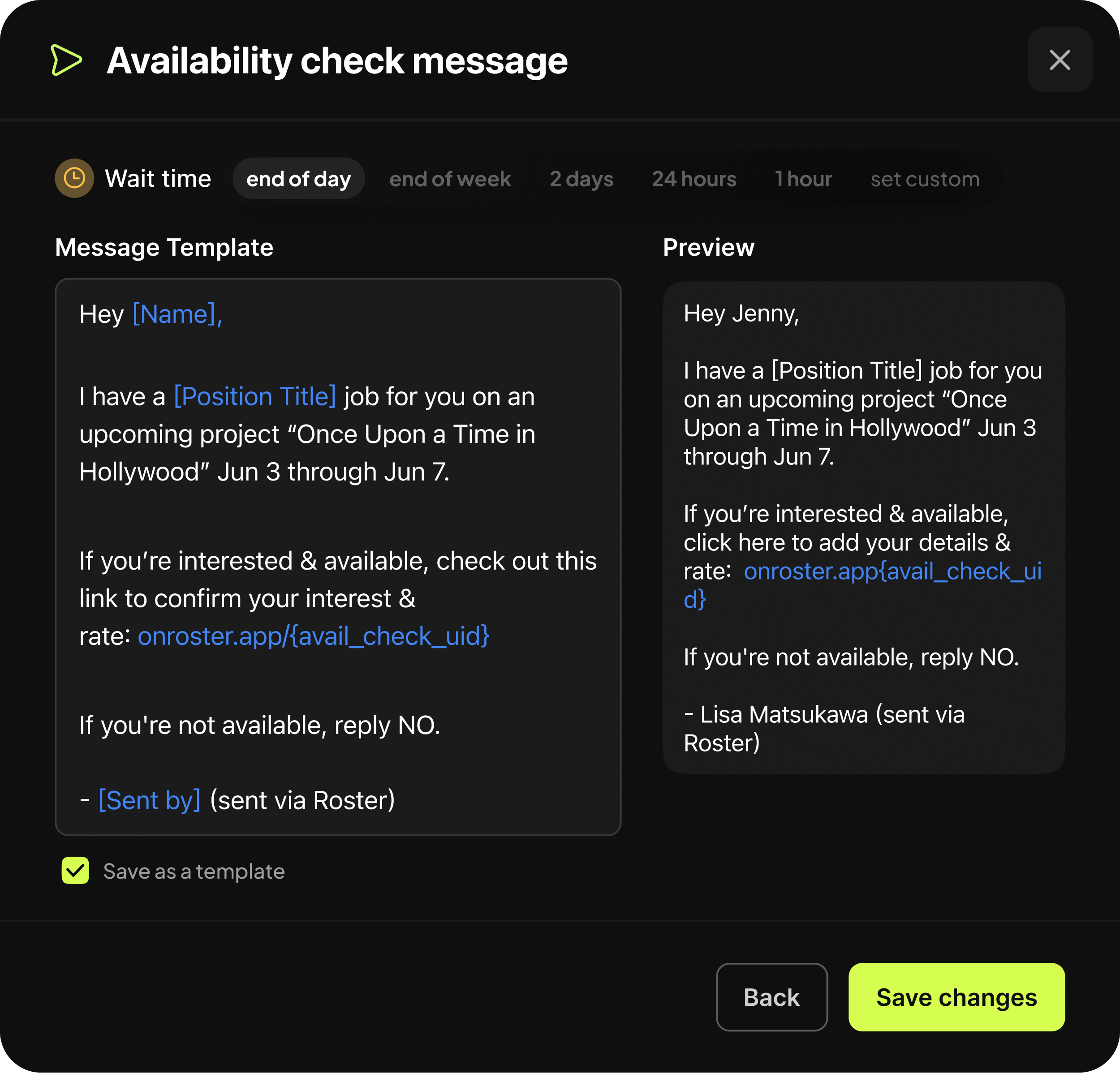
The customization modal starts the automation, enabling users to set workflow specifications, time frames, and messages. Below are two examples of steps within the modal.
2. Automated Crewing Up Dispatch
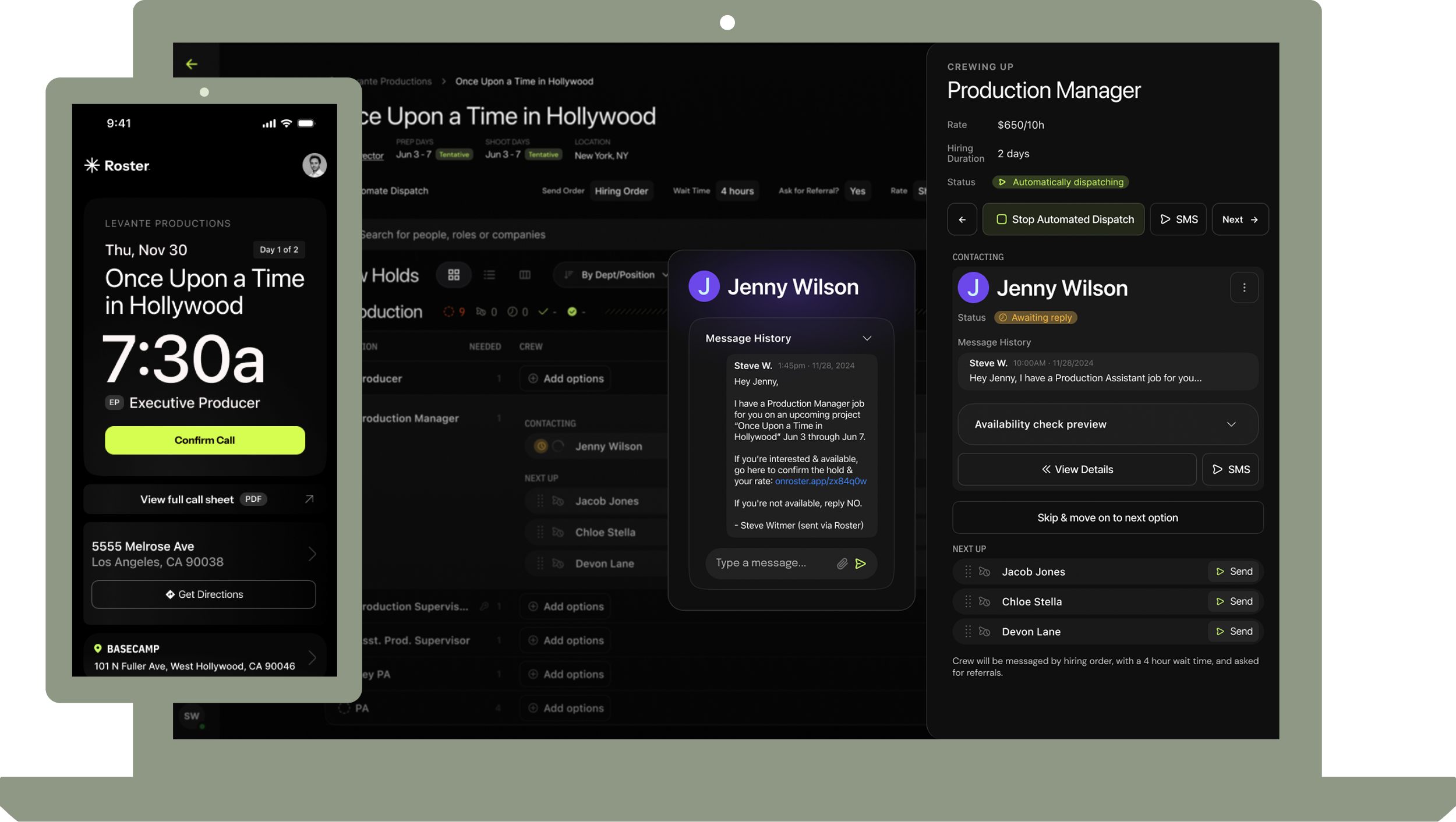
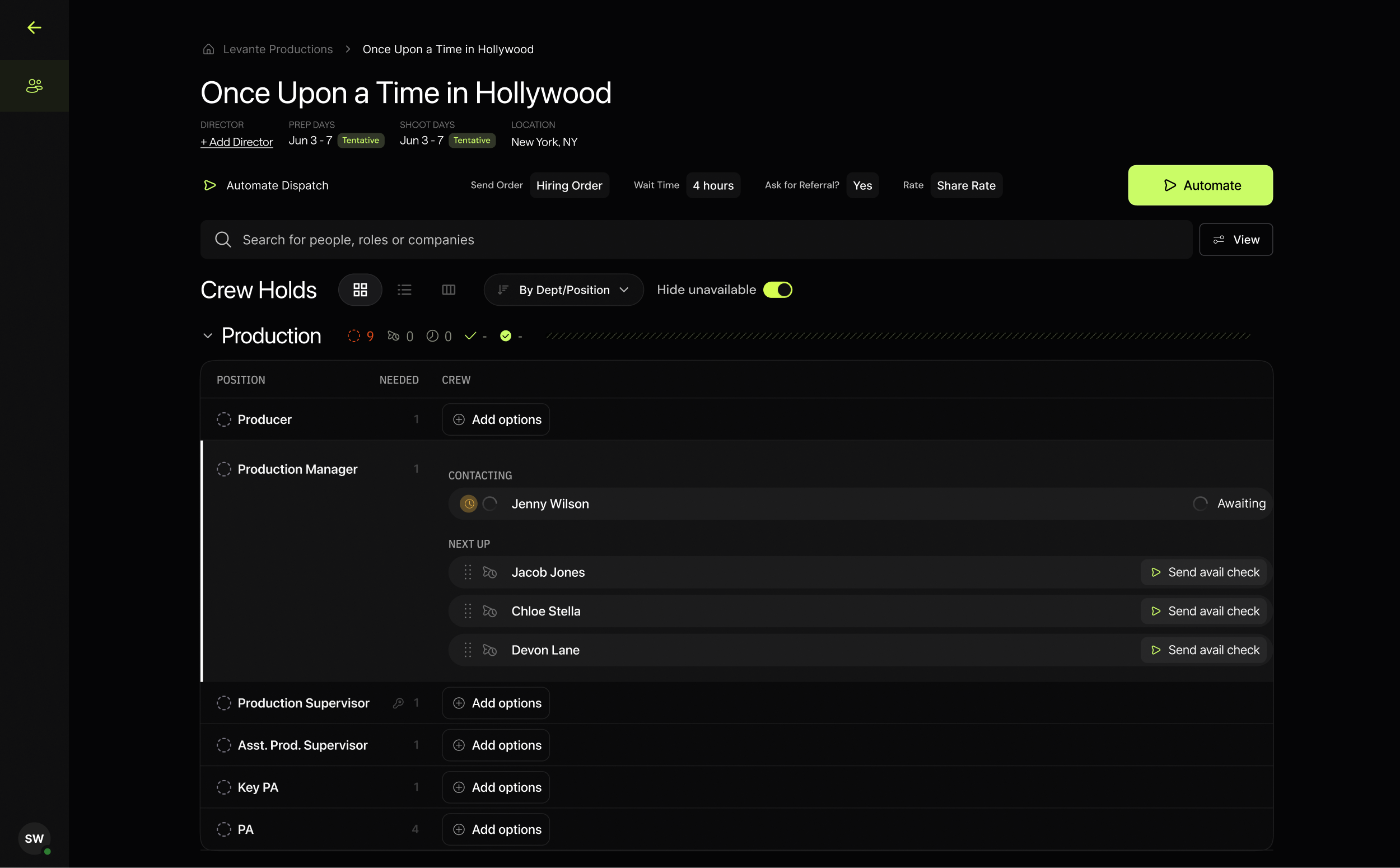
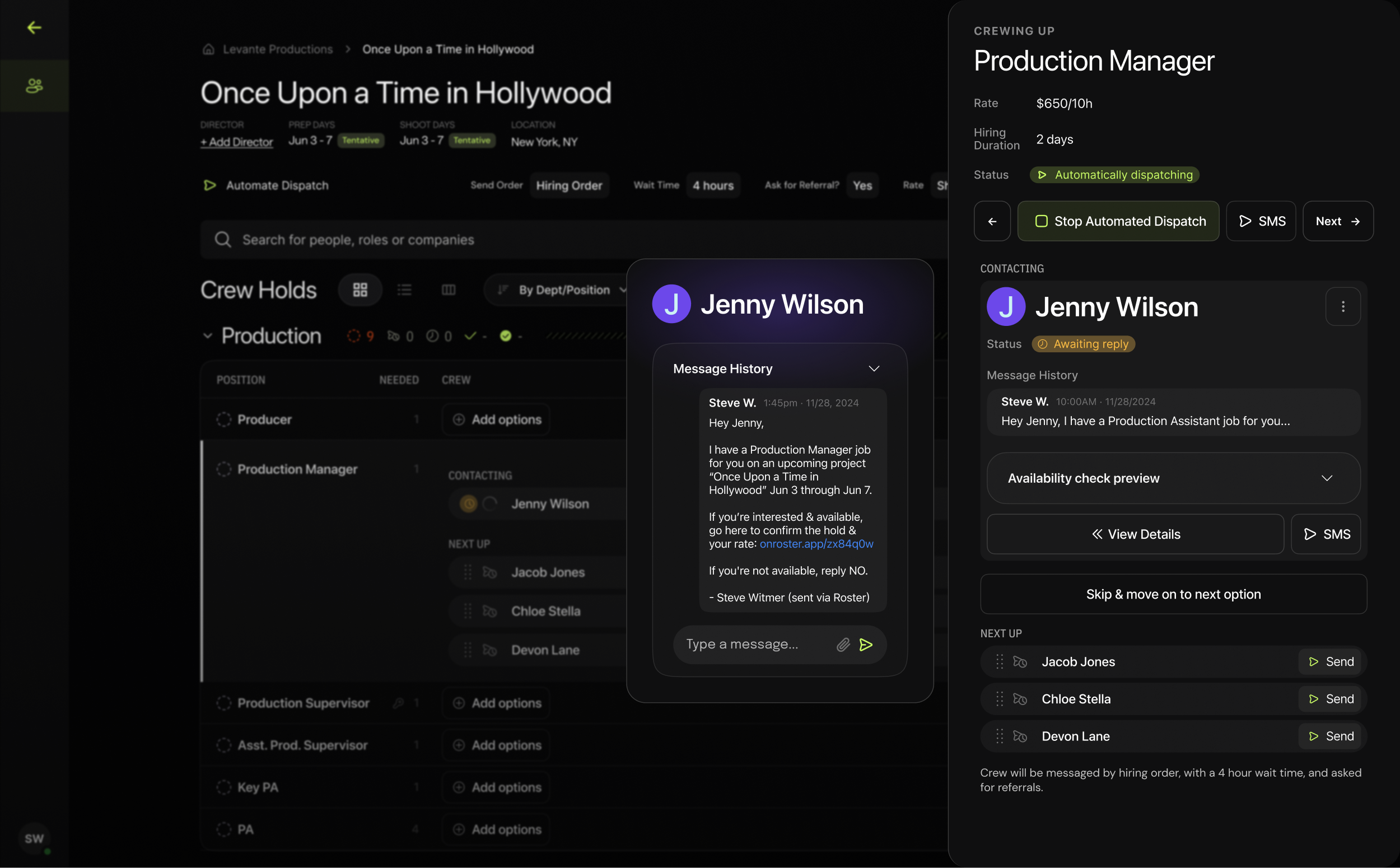
After finalizing specs in the modal, dispatch begins. The first image shows the dispatch home page: the full list of positions to fill and candidate messaging statuses. The second shows the individual position panel with more detail, including each candidate's message history.
3. Mobile Dispatch
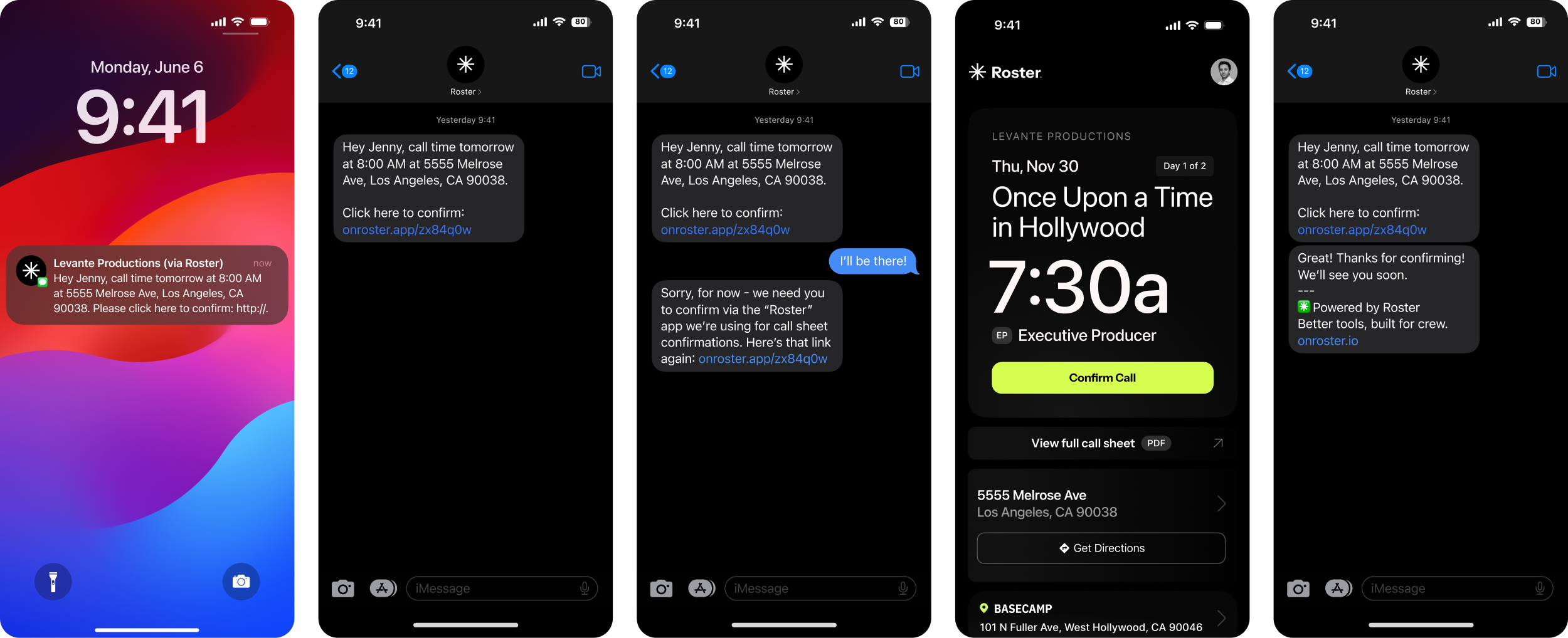
Each candidate gets an SMS with a link to their Roster call card, showing call time, location, and a confirm CTA. Once they confirm, they get a confirmation text, and their status updates live on the Roster platform for directors, PMs, and others to track.